
Filter Service
Filter service without the spreadsheets — and with integrity you can defend.
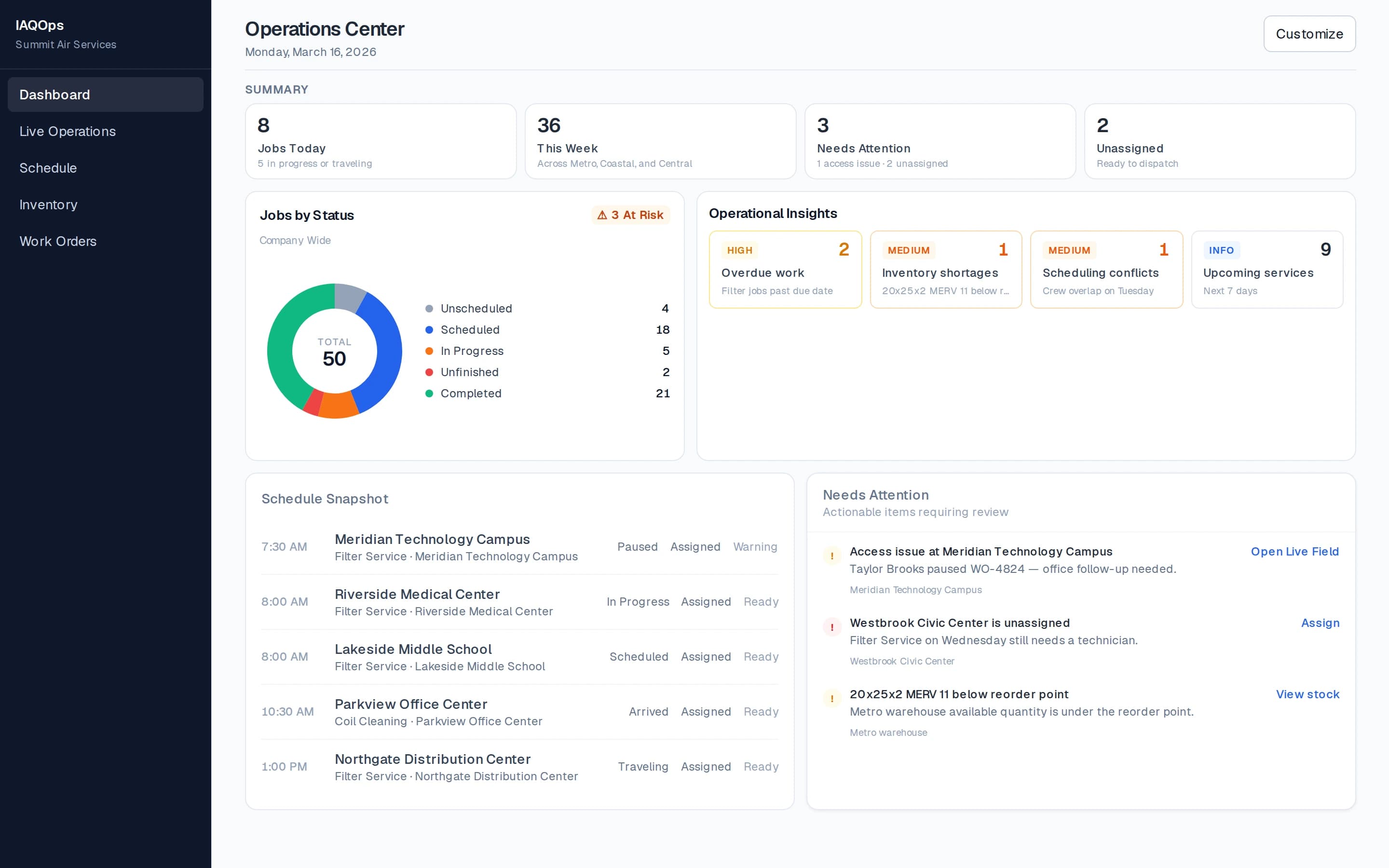
IAQOps runs recurring commercial filter programs unit by unit: due filters, inventory readiness, technician verification, required photos, Random QC Challenge, and a service history that holds up when someone asks what was actually done.
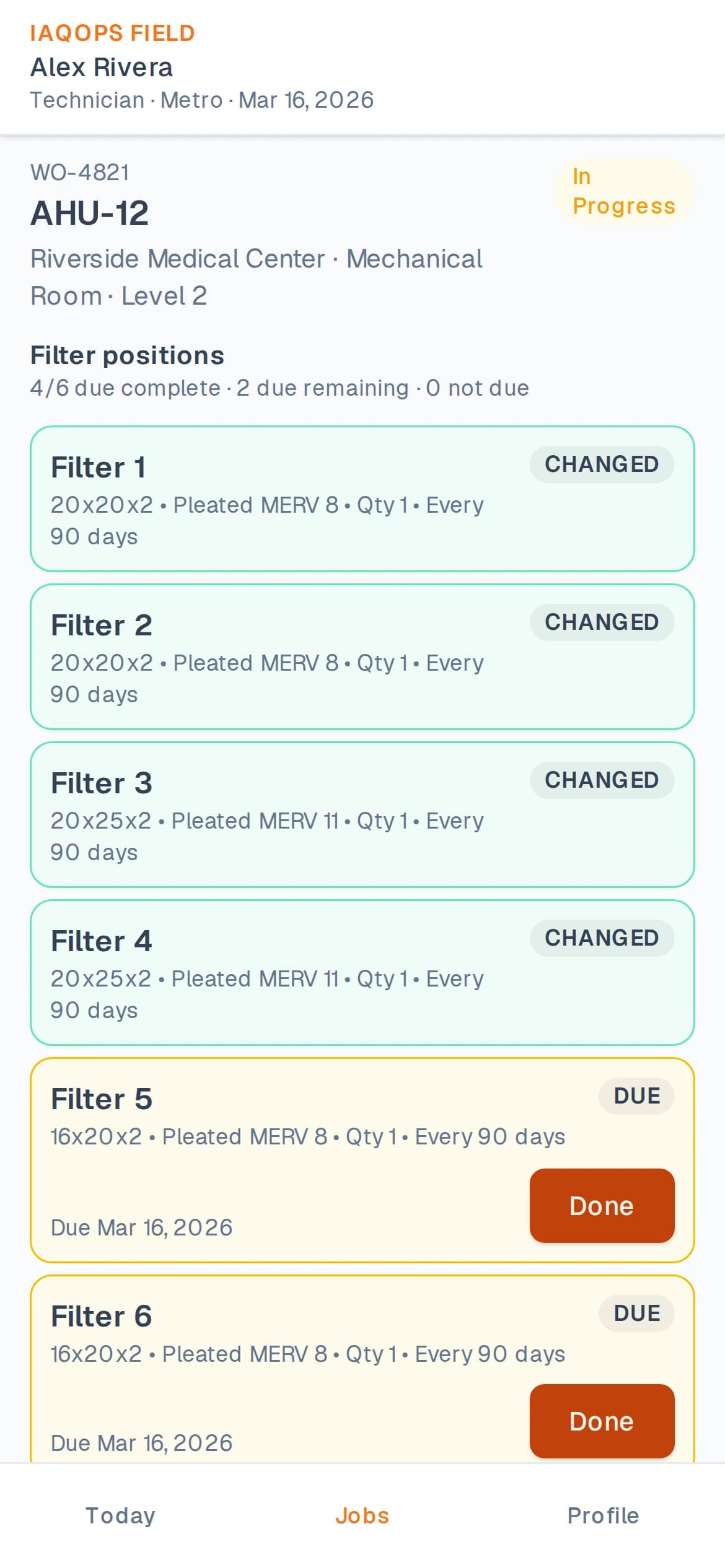
Recurring programs, unit by unit
Track what is due across customers and buildings without rebuilding the plan in Excel every cycle. Service frequency, filter positions, and upcoming demand stay connected to work orders and inventory.
- Recurring filter cycles and service frequency
- Unit-by-unit and filter-position tracking
- Due filters visible before and during the visit
- Inventory connection to scheduled filter work
- Work orders linked to the units that need service
Verification that protects the service record
Technicians do not just mark a visit complete. IAQOps supports tech verification, required photos, unit and filter photo checks, Random QC Challenge, and immediate in-app photo requests so office teams can protect service integrity.
- Technician verification on the job
- Required photo workflows for filter work
- Unit / filter photo verification
- Random QC Challenge as a normal field control
- Immediate in-app photo requests from the office
- Anti-fraud and service-integrity controls
History, corrections, and accountability
When field conditions differ from the plan, technicians raise change requests for office approval instead of silently rewriting the record. Service history stays attached to the customer, building, and unit.
- Service history by customer, building, and unit
- Field corrections routed through approval
- Filter size, type, and quantity change requests
- Discrepancy capture when installed filters differ
- Office review before the permanent record changes
Next step
See filter service the way IAQOps runs it
Request a demo focused on recurring programs, inventory readiness, Random QC Challenge, and documentation integrity.