
Filter service
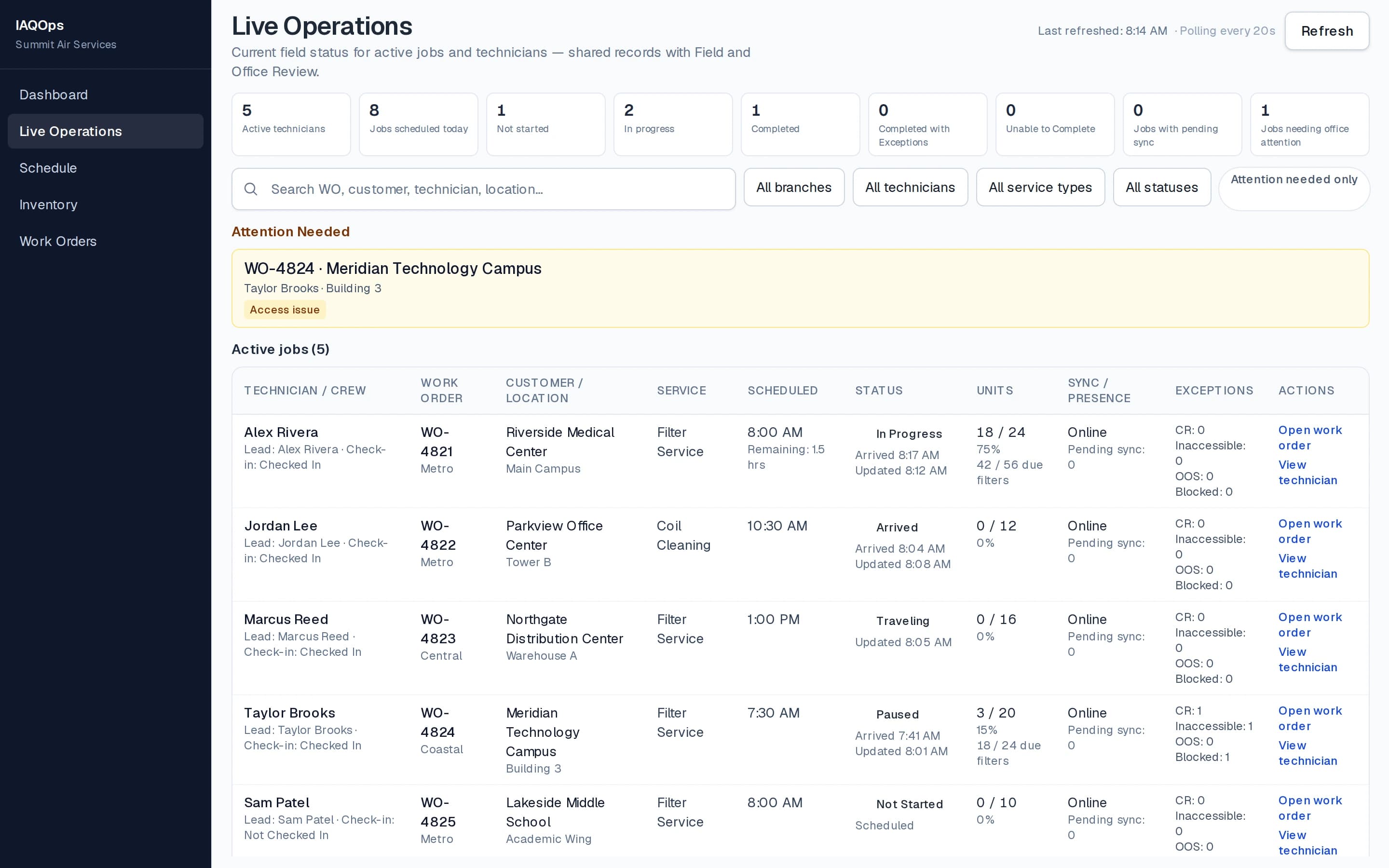
See unit progress and current job status while technicians execute assigned filter jobs.
Live Operations
Live Operations gives office teams useful visibility into jobs and technicians as work progresses: status without chasing paperwork, automatic updates from the Field App, and drill-down from Live Ops into the underlying work order. Operational clarity — not an alert board of giant buttons.
Field to office
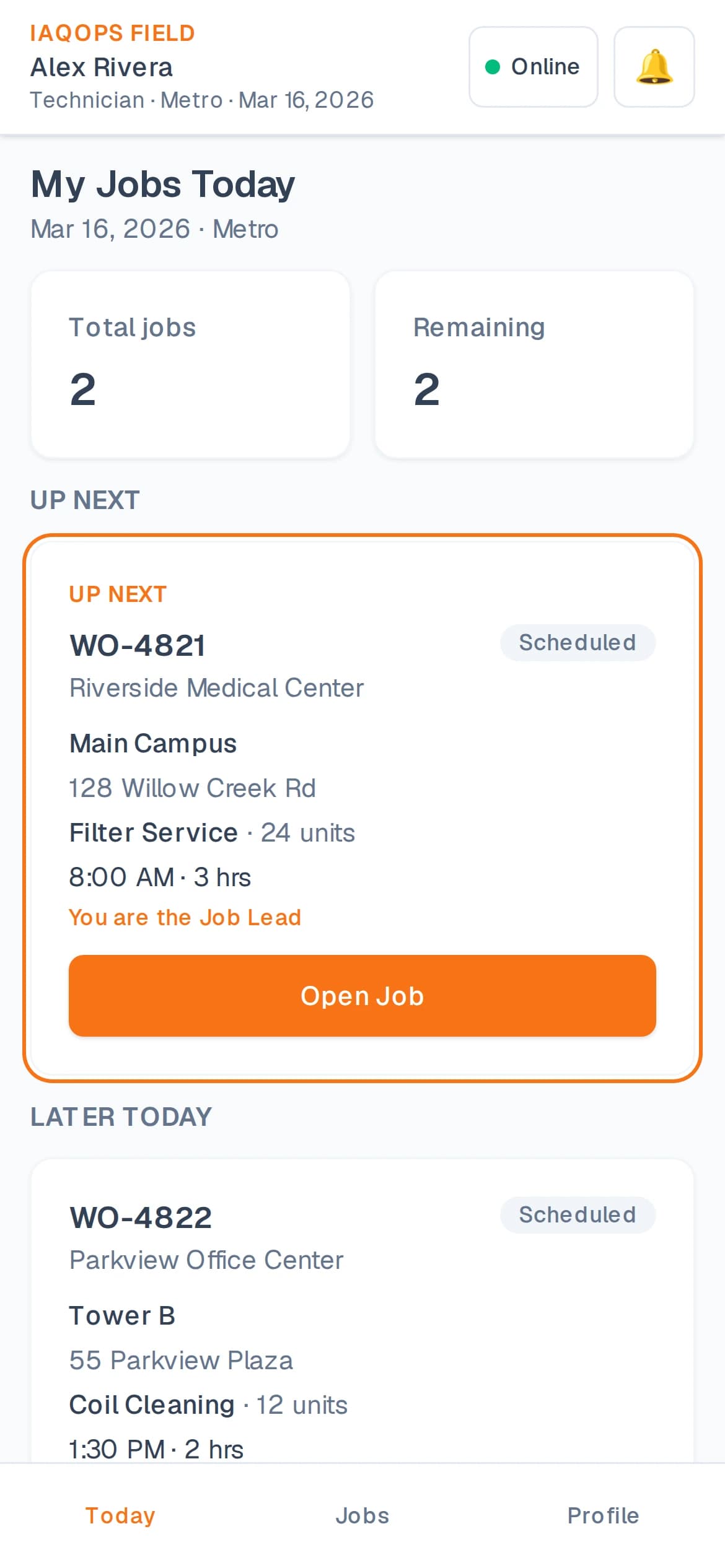
A technician completes due filter positions in IAQOps Field. That activity is recorded. Live Operations shows the updated progress on the next refresh — typically about 20 seconds after the field save is stored.
Answer the basics without calling the crew: who is working, where, what they are working on, what is complete, and what remains — then move from Live Ops into the work order behind the status.
Live Operations surfaces exceptions and attention items while the day is still in motion. It is built for dispatchers and operations managers — not a wall of alerts or oversized action buttons.
Technicians perform work in IAQOps Field. Field activity is recorded. Operations see updated progress in Live Operations on the next refresh — typically within about 20 seconds after the field save is stored.
Across IAQ service work
Live Operations follows assigned work orders for the services IAQOps supports. Filter service includes due-filter progress from the Field App. Coil, duct, and fire damper jobs stay visible through work-order status and documentation as those workflows capture them.
See unit progress and current job status while technicians execute assigned filter jobs.
Follow assigned coil jobs through current field status and completion records as they are captured.
Watch work-order status and documentation progress as duct jobs move through the Field App.
Keep inspection jobs visible to operations while technicians document damper work in the field.
Next step
Request a demo of Live Operations, the Field App, and the office workflows that keep both sides on the same job.