
Field App
The core field system — not a sidekick to the office.
IAQOps Field App gives technicians assigned work, service-specific workflows, completion paths, photos and documentation, sync with retry, and clear accountability back to the office. It is intentionally separated from office SaaS so field execution stays focused.
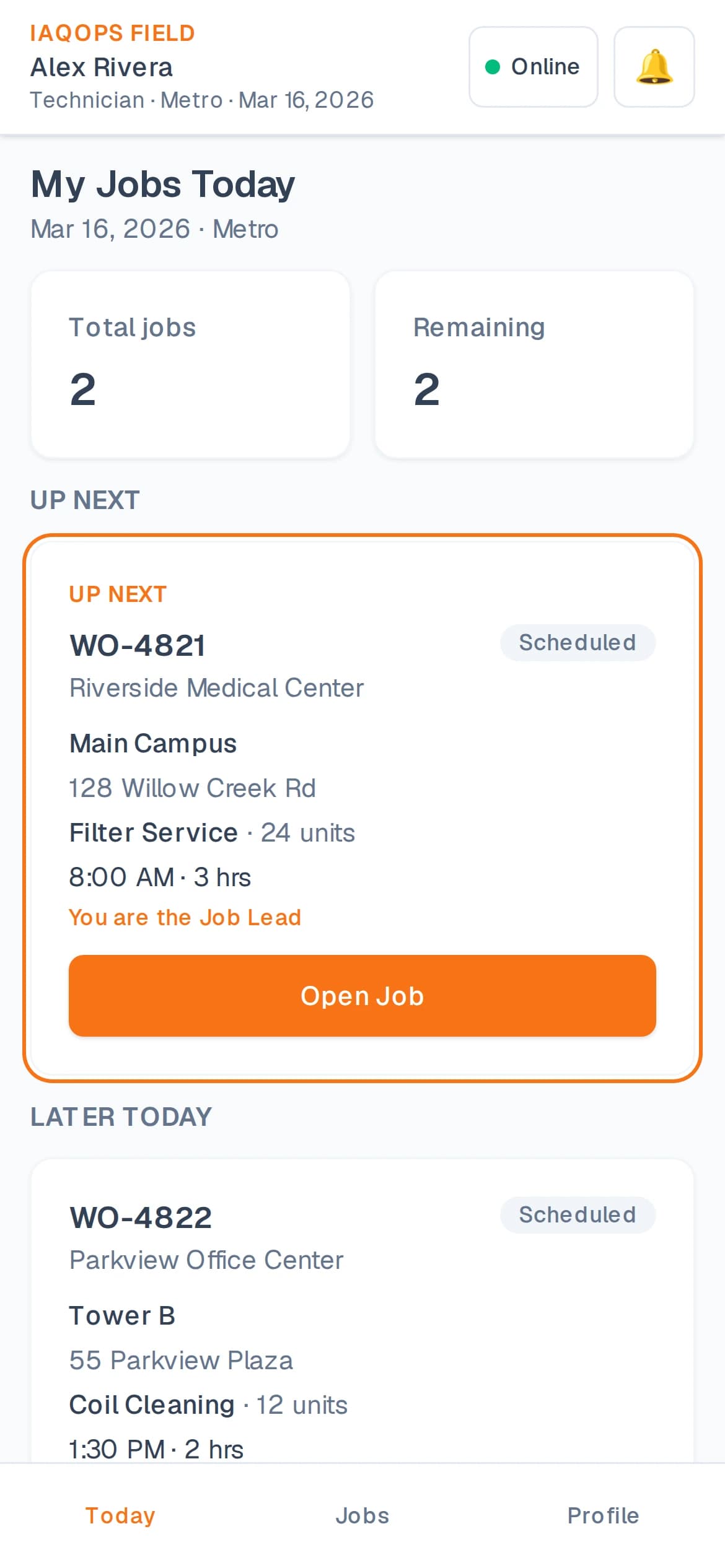
Assigned work, completed correctly
Technicians see the jobs they are assigned — with the service workflow, documentation, and completion path that job requires. Site notes, equipment context, safety information, and job requirements stay with the work.
- Assigned work for the technician and crew
- Service-specific workflows
- Completion and unable-to-complete paths
- Photos and documentation on the job
- Sync with retry when connectivity fails
- Site notes, equipment, safety, and job requirements
- Multi-technician coordination on crew work
Office-to-field accountability both directions
The office can request updates and hold documentation standards. Technicians can send field updates and change requests back for review — so reality on site does not silently rewrite the plan.
- Office-to-field accountability and photo requests
- Field updates back to the office
- Change requests for filter and asset corrections
- Approval before permanent records change
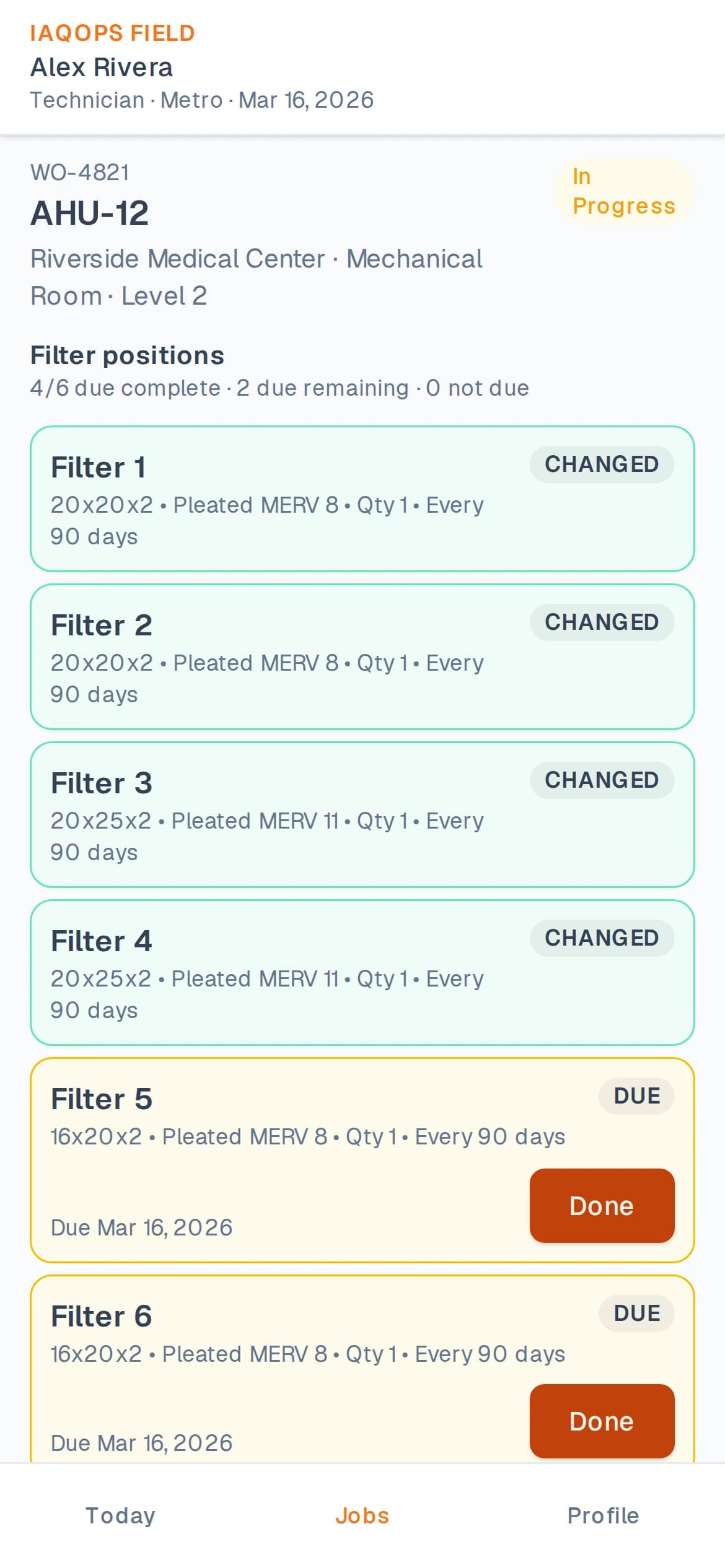
Built around real IAQ service work
Filter service, fire damper inspection, duct cleaning, and coil cleaning use service-specific field workflows — including required photos and verification where the office has configured them.
- Filter changes with unit and due-position tracking
- Fire damper inspection documentation
- Duct cleaning required photos and visual QC capture
- Coil cleaning before/after documentation
Separated from office SaaS on purpose
Technicians sign in through the field experience. Office users sign in through the office experience. That separation keeps field work focused and protects office-only operational controls.
Next step
Ready to see IAQOps with your operation?
Request a demo of the Field App for assigned work, service workflows, change requests, and completion.